
How to Write a Test Case That Actually Works
So, what does it really mean to write a test case? At its heart, it’s about documenting a very specific scenario. You're laying out the exact steps, the necessary data, any preconditions, and, most importantly, the expected result that proves a piece of software works as intended.
Think of it this way: you need to define a clear objective, set the stage with the right starting conditions, list the user's actions step-by-step, and then describe the precise outcome that signals success.
Why Better Test Cases Mean Better Software
 Image
Image
Let’s get beyond the textbook definitions. In the real world, great test cases are the unsung heroes of software development. They're the critical bridge that connects a project requirement to a polished, final product. I’ve always seen them as more than just a checklist; they are a form of practical, living documentation that guides the entire quality assurance process.
When you nail your test cases, the impact on your development cycle is immediate and tangible. Clear, unambiguous instructions prevent that frustrating, time-wasting back-and-forth between developers and testers. It’s a classic bottleneck, and a well-written test case cuts right through it. Everyone, from the junior tester to the senior dev, is on the same page about how a feature should behave.
Driving Business Results Through Quality
The payoff goes way beyond just catching bugs. Learning how to write an effective test case brings some serious business advantages to the table. From my experience, this is where QA really proves its value.
- Faster Releases: When tests are clear and repeatable, the whole verification process just moves faster. It's a simple equation that helps your team hit those aggressive deadlines.
- Reduced Ambiguity: A detailed test case leaves no room for interpretation. This means features get built correctly the first time, saving a ton of rework.
- Improved Collaboration: Think of test cases as a common language. They create a shared understanding that helps QA, development, and product teams work together much more smoothly.
- Happier Users: At the end of the day, this is what it's all about. Thorough testing leads to a more stable, reliable product, which is the key to customer satisfaction and retention.
A well-written test case is an investment. It pays dividends by catching defects early, serving as a knowledge base for new team members, and forming the bedrock of a robust automation strategy.
This skill is a cornerstone for any modern QA professional. We've all seen the massive shift toward automation, and the ability to write a test case that is both human-readable and easily scriptable has become more valuable than ever.
The global test automation market is proof enough. It was valued at $15.87 billion back in 2019 and is on track to hit an incredible $49.9 billion by 2025. This explosive growth reflects a major change in how we work. In fact, for 46% of teams, automation has already replaced over half of their manual testing efforts. Having strong fundamentals in test case writing isn't just a good idea—it's essential. You can dive deeper into the data on how automation is reshaping testing at Testlio.
The Anatomy of a Bulletproof Test Case
A great test case is much more than a simple checklist. It’s a detailed, self-contained blueprint for verification. When written well, anyone on your team—from a junior tester to a developer—should be able to pick it up and run the test without any confusion. A poorly written one, on the other hand, just creates noise and wastes time.
Think of it like a detailed recipe from a seasoned chef. It doesn’t just list ingredients; it specifies quantities, preparation steps, and what the final dish should look and taste like. Let’s break down the essential ingredients that make a test case truly effective.
A solid test case is built from several key fields, each serving a distinct purpose. While you can certainly add more depending on your project's needs, getting these core components right is non-negotiable.
Here’s a look at the essential anatomy of a test case, using a standard user login scenario as our guide.
The Anatomy of a Bulletproof Test Case
| Component | Purpose | Example (for a Login Test) |
|---|---|---|
| Test Case ID | A unique code for tracking and referencing. Essential for bug reports and linking to requirements. | TC-LOGIN-001 |
| Test Case Title | A short, clear summary of the test's objective. You should know what it does just by reading the title. | Verify Successful Login with Valid Credentials |
| Preconditions | The specific state the system must be in before you start the test. This is what you set up beforehand. | User has a valid, active account. User is not currently logged in. |
| Test Steps | The sequential, step-by-step actions to perform the test. Each step should be a clear, single action. | 1. Navigate to the login page.<br>2. Enter a valid username.<br>3. Enter the correct password.<br>4. Click the "Log In" button. |
| Expected Results | The exact, observable outcome that proves the test passed. This is your definition of "correct." | User is redirected to the account dashboard. A "Welcome, [Username]!" message is displayed. |
| Priority | How critical is this functionality? Helps you decide what to test when time is tight. | High |
| Postconditions | The state of the system after the test is complete. Helps clean up and prepare for the next test. | User session is terminated. User is logged out. |
Now, let's dig a little deeper into why these components are so critical in practice.
Grounding Your Test with an Identity
Before you even think about test steps, every single test case needs a rock-solid identity. It sounds basic, but you'd be surprised how many teams get this wrong, especially when managing thousands of tests in a tool like Jira or TestRail.
The Test Case ID (e.g., TC-LOGIN-001) is your anchor. It’s the unique identifier you’ll use everywhere—in bug reports, automation scripts, and status updates. Without it, traceability is a nightmare.
Right alongside it is the Test Case Title. This isn’t just a label; it’s a summary. "Verify Successful Login with Valid Credentials" instantly tells me the test's entire purpose. I don't have to read a single step to know what it covers.
Setting the Scene with Preconditions
A test never happens in a vacuum. The state of the system before you start is just as important as the test itself. This is where preconditions come in, and ignoring them is a classic mistake that leads to false negatives.
Preconditions are the specific requirements that must be met before the first test step is executed. They are the "Given" in a "Given-When-Then" structure.
For example, if you're testing the "Add to Cart" button, a crucial precondition is: "User is logged into an active account." If you skip this, the test will fail, but not because the button is broken—it’s because the initial state was wrong.
The Core of the Test: Actions and Expected Outcomes
This is where the magic happens—the sequence of actions and their anticipated results. Clarity is everything here; ambiguity is your enemy.
Test Steps are the concrete actions the tester performs. You need to be direct and use active verbs.
- Navigate to the login page.
- Enter a valid username in the 'Username' field.
- Enter the corresponding valid password in the 'Password' field.
- Click the 'Log In' button.
Each step is a clear directive. But a step is useless without its counterpart: the Expected Result. This is what defines success. Vague statements like "it should work" are worthless.
You have to be precise. A good expected result is verifiable and leaves no room for debate: "User is redirected to the account dashboard, and a 'Welcome, [Username]' message is displayed in the top right corner." Now the tester has a crystal-clear pass/fail condition.
The Finishing Touches
Finally, a few other components can make your test cases even more robust. Priority (High, Medium, Low) is a lifesaver during a time crunch, helping you focus on what absolutely must be tested.
And don’t forget Postconditions. This defines the system's state after the test runs, like "User is logged out of the system." This ensures you're leaving a clean environment for the next test, preventing one test's outcome from interfering with another's.
Alright, let's move from theory to practice. Seeing how a feature idea becomes a real test case is the best way to make these concepts stick.
Imagine you're a QA analyst, let's call her Alex. A new feature has just landed on your desk for an e-commerce site: the shopping cart checkout process. This is where the magic happens, turning abstract requirements into concrete, actionable tests that ensure quality.
Alex’s first move isn’t to start writing. It’s to think. To dissect. The core requirement seems simple enough: "A logged-in user with items in their cart should be able to complete a purchase." But any seasoned tester knows that this one sentence is packed with dozens of potential paths—some successful, others designed to fail.
Brainstorming Test Scenarios
Before a single field in a test case template gets filled out, Alex starts brainstorming scenarios. This is a creative, yet structured, process of asking "what if?" to really explore the feature's behavior from every possible angle.
-
Positive Scenarios (The Happy Path): This is the ideal journey, what we want to happen. Alex jots down the most straightforward path: a logged-in user with a valid item in their cart and a valid payment method successfully checks out. This will become the core "pass" condition.
-
Negative Scenarios (The Unhappy Path): Now for the fun part. What happens when things go wrong? Alex starts thinking about using an expired credit card, entering a garbage shipping address, or what happens if the payment gateway just times out. Every one of these needs to trigger a specific, expected error message.
-
Edge Cases (The Weird Stuff): This is where experience really pays off. Alex thinks about the less common, but totally possible, situations. What if the user’s cart contains an item that went out of stock just a second ago? What if they try to apply a coupon code that has already been used?
The goal of this initial brainstorming isn't to list every single possibility. It's about mapping the territory. A great QA analyst knows a feature's true strength is measured by how gracefully it handles not just the expected, but also the unexpected.
This process gives Alex a mental map of everything that needs testing. Now, it's time to translate one of these scenarios into a formal test case. Alex decides to start with a foundational positive scenario.
Translating a Scenario into a Formal Test Case
Alex opens up the team’s test management tool and starts creating a new test case, turning that "happy path" scenario into a set of instructions that anyone can follow and verify.
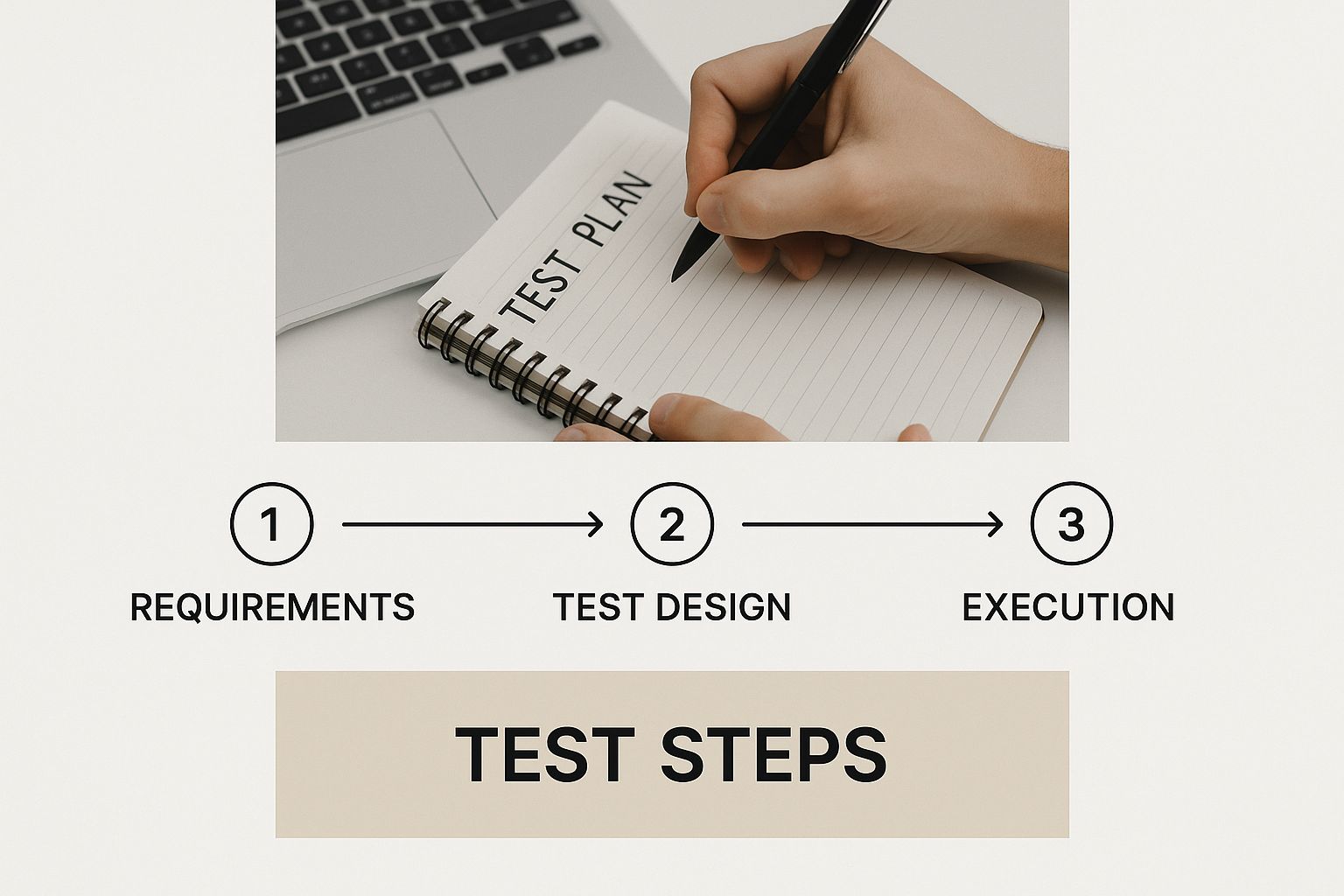
This is the typical flow, moving from a high-level requirement down into the nitty-gritty steps that make up a solid test case.
 Image
Image
This visualization really captures the move from an abstract idea to a concrete plan—a critical skill for anyone learning how to write effective test cases.
Here’s a glimpse of how Alex fills out the key fields:
- Test Case ID:
TC-CHECKOUT-001 - Title:
Verify Successful Checkout with Valid Item and Payment - Priority:
High
The Preconditions are absolutely critical for making sure the test is valid from the start. Alex is specific: "User is logged in to an active account. User has at least one item in their shopping cart. The item is in stock." This sets the stage perfectly and removes variables that could otherwise cause a false failure.
Next up are the Test Steps. Each one needs to be a clear, singular action. No ambiguity.
- Navigate to the shopping cart page.
- Click the ‘Proceed to Checkout’ button.
- Enter a valid shipping address in the provided fields.
- Select a standard shipping method.
- Enter valid credit card information.
- Click the ‘Place Order’ button.
Finally, and most importantly, comes the Expected Result. It has to be something undeniable. Alex writes: "User is redirected to the 'Order Confirmation' page. An order confirmation number is displayed. The items in the cart are now listed under the user's 'Order History'."
This structured approach transforms a simple idea into a powerful quality assurance tool. By following this method, Alex ensures that anyone on the team can run this test and get the same, reliable result. This same detailed methodology is key when preparing for IT certifications, where understanding processes is vital. For those on that journey, you can explore AI-driven practice exams with our AI exam preparation platform to master these concepts.
Writing Test Cases That Actually Scale
When you first start a project, writing test cases seems simple enough. But as that application blossoms from a few core features into a sprawling, complex system, your test suite can quickly devolve into a tangled, unmanageable mess. The real trick is learning how to write test cases that are built to last.
A test suite that can't scale becomes a genuine liability. You start seeing intermittent failures, maintenance turns into a full-time job, and worst of all, developers start losing trust in the results. The secret isn't just about what you test, but how you write, document, and structure those tests from day one.
Design for Independence and Atomicity
One of the most important habits you can build for scalable testing is to make every single test case atomic and independent. This means each test has one, and only one, specific goal. It shouldn't depend on any other test case to run successfully.
Think about it. Imagine you have a test for "Update Profile Picture" that only works if the "User Registration" test ran right before it. What happens if the registration test fails or someone changes it? Your profile picture test breaks, but not because of its own functionality. This is how you end up with a brittle, flaky, and untrustworthy test suite.
Instead, every test case needs to create its own self-contained world and then clean up after itself.
- Setup: Use clear preconditions to establish the exact state needed. For example, "An active user account with standard permissions exists."
- Execute: Perform the single action you're actually testing.
- Teardown: Use postconditions to leave the system in a neutral state, like "User is logged out, and any created test data is removed."
Following this structure lets you run tests in any order, run them in parallel, or pick a single test to run on its own. That flexibility is absolutely essential for efficient regression testing, especially within a fast-moving CI/CD pipeline.
Write for a Human Audience
Even when you're writing for automation, remember that a human being will eventually need to read, understand, and maintain your test cases. Ambiguity is the sworn enemy of a scalable test suite.
Your test case should be so clear that a new team member, with only basic knowledge of the project, can execute it successfully without asking for clarification.
A simple but effective technique is using strong, active verbs for your test steps. Don't write a vague step like "User login." Be explicit and leave no room for interpretation: "Click the 'Log In' button."
Similarly, avoid making assumptions about the tester's knowledge. Instead of writing "Enter user details," spell it out: "Enter a valid username in the 'Username' field and a valid password in the 'Password' field." It might feel like overkill at first, but it saves immense time and confusion down the road.
Embrace Peer Reviews for Quality
One of the best—and often overlooked—ways to guarantee your test cases are clear, robust, and scalable is to have another person review them. A peer review brings a fresh perspective that can catch logical gaps, assumptions, and ambiguities you completely missed.
This isn't just about catching mistakes. Think about the other benefits:
- Shared Knowledge: It's a fantastic way to spread domain knowledge across the entire QA team.
- Consistency: It helps enforce a consistent style and level of detail, making the whole suite easier to navigate.
- Defect Prevention: Your colleague might spot an edge case or a negative scenario you didn't consider, strengthening your test coverage before you even run the test.
Start treating your test cases the same way developers treat their code. They're valuable project assets that deserve the same rigor, quality control, and collaborative improvement. This discipline is what ensures that as your project grows, your test suite remains a powerful tool for quality, not a source of maintenance headaches.
Adapting Your Testing for Agile and DevOps
 Image
Image
Let's be honest: the classic, multi-page test case document doesn't stand a chance in the world of Agile and DevOps. When you're dealing with short sprints and frequent deployments, the old ways of testing just can't keep up. The process has to get faster, leaner, and woven directly into the fabric of development.
This isn't just a small tweak; it's a fundamental change in mindset. Testing is no longer a gatekeeper at the end of the line. Instead, it becomes a continuous feedback loop that runs parallel to coding, aimed at providing quick insights, not creating a library of documents that are obsolete by the next release.
Shift-Left for Faster Feedback
One of the most powerful changes you can make is to adopt shift-left testing. The name says it all: you move testing activities much earlier in the development lifecycle. No more waiting around for a developer to declare a feature "code complete." Testers are in the mix from the very beginning.
Think about it. When testers collaborate on requirements and start designing tests during sprint planning, they can spot ambiguities or potential flaws before a single line of code is even written. It's a simple, powerful idea: preventing a bug is always cheaper and faster than finding and fixing one downstream.
The industry has certainly taken notice. Recent data shows that 54% of developers are now using DevOps practices to accelerate their software delivery. What's more, 30% have come to prefer test automation over manual methods, which underscores the demand for test cases that plug right into a CI/CD pipeline. Shifting left isn't just a buzzword; it's a practical strategy that directly cuts costs and improves time-to-market. You can discover more insights about software testing trends on Global App Testing.
Embracing BDD and Gherkin Syntax
Another fantastic technique for modernizing your test cases is Behavior-Driven Development (BDD). At its core, BDD is about closing the communication gap between the business side and the technical side of the team. It uses a shared, natural language to define how an application should behave.
The magic behind this is a simple syntax called Gherkin. It frames user scenarios with a Given-When-Then structure that anyone can understand, from product owners to the newest developer on the team.
Gherkin Example for a Login Feature: Scenario: Successful login with valid credentials Given I am on the login page When I enter my valid username and password And I click the "Sign In" button Then I should be redirected to my account dashboard
This format is incredibly efficient because it pulls triple duty. It's a clear requirement, a test case, and a blueprint for an automated test script—all in one. Teams like ours at HydraNode, which you can read more about here, really value methodologies that create this kind of alignment. When you write tests in this user-focused, plain-language format, they become living documentation that’s actually useful and easy to maintain, even in the most fast-paced environments.
Common Questions About Writing Test Cases
As you dive deeper into writing test cases, a handful of questions tend to pop up. Grasping each component is one thing; applying them smoothly in real projects is another. Let’s tackle the most common points of confusion.
Finding the right level of detail trips up many testers. You need enough clarity so a new team member can follow steps without back-and-forth, yet you don’t want pages of fluff.
Focus on the what and how in your steps, and save the why for your title and description.
This balance keeps your suite both thorough and maintainable.
What Is The Difference Between A Test Case And A Test Scenario?
This one comes up all the time. A test scenario sets a broad goal, while a test case lays out the exact steps to achieve it.
- Test Scenario: Verify user login functionality.
- Test Case: Verify successful login with valid credentials.
- Test Case: Verify failed login with an invalid password.
One scenario often branches into several test cases, covering positive flows, negative checks, and edge-case behavior.
How Should I Approach Negative Testing?
Think of negative testing as controlled chaos. You’re not just trying to break the system—you want to confirm it handles mistakes gracefully.
Start by listing invalid inputs:
- Empty or overly long usernames
- Special characters in text fields
- Letters in numeric fields or negative numbers
For each invalid action, note the expected error message. If your application crashes or shows a vague warning, you’ve caught a failure.
What Tools Are Best For Managing Test Cases?
Early on, a simple spreadsheet might work. But as your project grows, a dedicated test management tool becomes essential. These platforms offer:
- Clear organization and version control
- Traceability from requirements to execution
- Built-in reporting and metrics
Popular choices include TestRail and Jira (with test-management plugins). If you’re juggling study materials or certification practice, AI-powered platforms can save hours. Take a look at our HydraNode pricing plans to see how intelligent test-prep tools can help.
Looking to streamline your IT certification journey? HydraNode adapts practice exams to your unique gaps, so you focus where it counts. Visit HydraNode and start hitting your goals faster.