Pass the AWS Certified Cloud Practitioner Exam
If you're looking to get started in cloud computing, the AWS Certified Cloud Practitioner exam is your first stop. Think of it as the foundational stepping stone, a globally respected credential that proves you understand the AWS Cloud, its essential services, and how it drives business value. It's the perfect launchpad for a career in tech.
What Is the AWS Cloud Practitioner Certification?
 Image
Image
The AWS Certified Cloud Practitioner certification (exam code CLF-C02) is less about hands-on coding and more about "speaking cloud." It’s your passport into the world of AWS.
Instead of testing your ability to spin up complex servers, the exam confirms you have a solid grasp of the basics. It shows you know what the AWS Cloud is, what it can do, and why it’s become so essential for businesses of all sizes.
This certification isn't just for future engineers. It’s built for a wide audience, especially those in non-technical roles who need to have intelligent conversations about cloud projects and strategy.
Who Should Get Certified?
While it's a common starting point for technical folks, its real power is its broad appeal. This is an entry-level exam that adds value to many different roles.
- Sales and Marketing Pros: You'll be able to clearly explain the benefits of cloud solutions to potential clients.
- Finance and Procurement Teams: Understanding AWS pricing and billing is crucial for making smart financial calls.
- Project and Product Managers: It gives you the vocabulary to effectively manage cloud projects and stay aligned with your technical teams.
- C-Suite Executives and Leaders: Get a bird's-eye view of how the cloud can strategically benefit the entire business.
Frankly, anyone whose job involves technology in some way will benefit from proving their cloud literacy with this certification.
This certification is the main on-ramp to all other AWS credentials. Once you nail these fundamentals, you'll have the confidence and the core knowledge to tackle more specialized tracks like Solutions Architect, Developer, or SysOps Administrator.
What the Exam Validates
The AWS Certified Cloud Practitioner is widely recognized as a key foundational credential. With a reported pass rate of around 70%, it's considered achievable with the right preparation, though not a walk in the park. AWS recommends about six months of general exposure to the platform, which definitely helps.
Passing this exam tells employers you can confidently define the AWS Cloud and its global infrastructure, explain the core AWS value proposition, and describe key security and compliance features. It’s tangible proof of your commitment to professional growth in a field where cloud skills are in constant demand.
Ultimately, it’s a powerful addition to your resume and the first clear signal that you’re ready for a career in the cloud.
Decoding the Exam Blueprint and Scoring
To beat the AWS Certified Cloud Practitioner exam, you need a game plan. The best place to start is the official exam blueprint. I like to think of it as a treasure map, it shows you exactly where the most valuable information is and how much each topic is worth, so you can focus your study time where it counts most.
The exam is split into four distinct knowledge areas, which AWS calls domains. Each one makes up a specific percentage of your final score. Understanding this breakdown is your first step to crafting a smart and efficient study plan.
Understanding the Four Exam Domains
Let's dig into what you'll actually be tested on. The exam domains are designed to take you from the big-picture "why" of the cloud all the way down to the nitty-gritty of using the platform securely and affordably.
Here’s a look at the four domains and their weight on the exam.
AWS Cloud Practitioner Exam Domain Breakdown
This table shows the four main knowledge domains covered in the exam and their corresponding weight, helping candidates prioritize their study efforts.
| Exam Domain | Percentage of Exam (%) |
|---|---|
| Cloud Concepts | 24% |
| Security and Compliance | 30% |
| Cloud Technology and Services | 34% |
| Billing, Pricing, and Support | 12% |
As you can see, the two heaviest hitters are Cloud Technology and Services (34%) and Security and Compliance (30%). Together, they make up a whopping 64% of your total score. If you want to pass, you absolutely have to nail these two areas.
The other domains are still crucial. Cloud Concepts (24%) lays the foundation, covering the core value of AWS and its economic benefits. Finally, Billing, Pricing, and Support (12%) tests your knowledge of the financial side of things, how pricing works, how to manage costs, and what support options you have.
How the Exam Is Structured and Scored
Knowing what to study is only half the battle. You also need to understand how the test works.
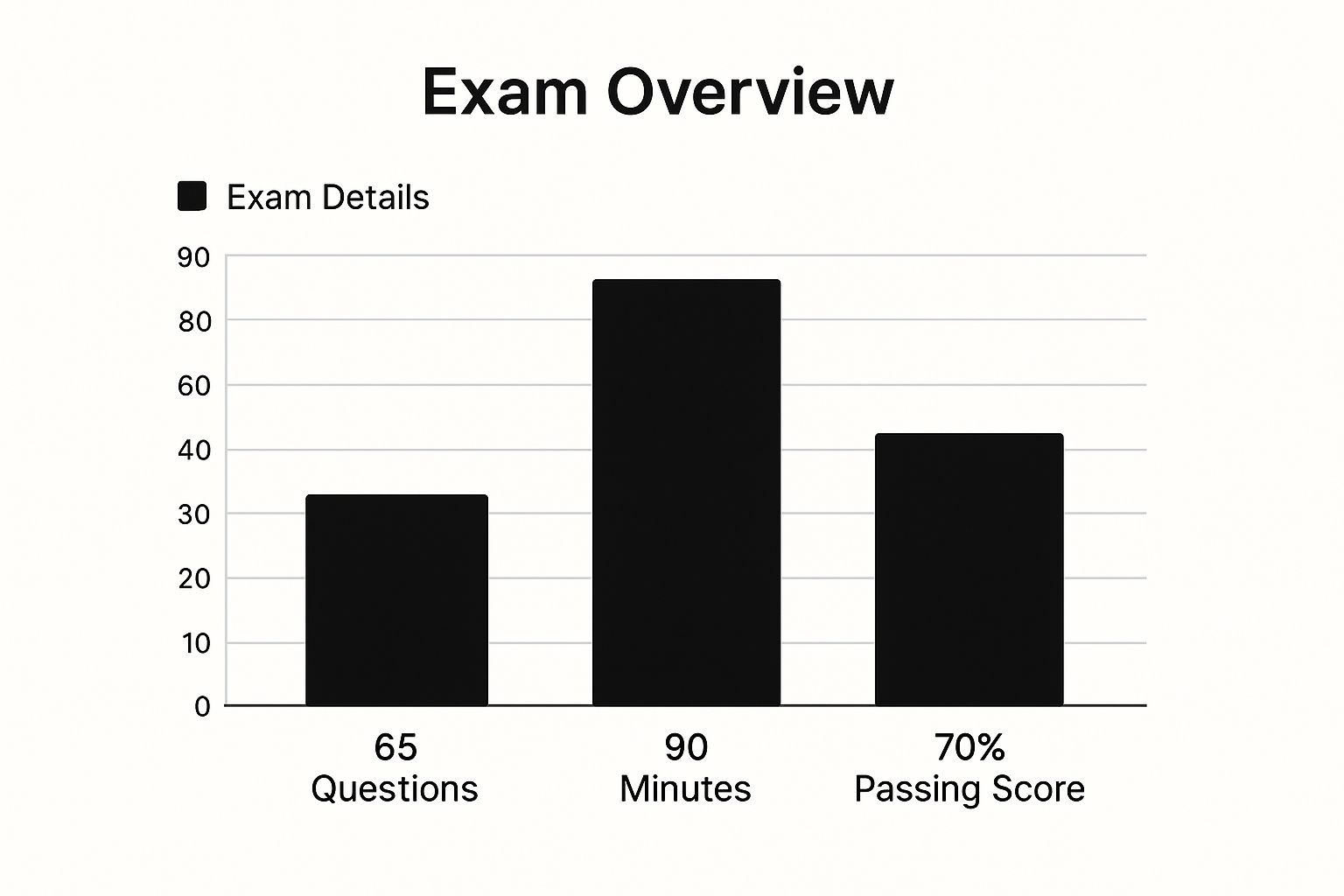
You’ll have 90 minutes to get through 65 questions. That works out to a little over a minute per question, so you can't afford to get stuck for too long on any single one. Time management is key.
 Image
Image
The questions themselves come in two flavors:
- Multiple-Choice: The classic format. One question, four options, and only one correct answer.
- Multiple-Response: A bit trickier. One question, five or more options, and you'll need to select two or more correct answers. Don't worry, the question will always specify exactly how many to choose.
Now for a crucial detail: of those 65 questions, 15 are unscored. AWS uses these as "beta" questions to test them out for future exams. The catch is, you won't have any idea which ones are the real deal and which are the betas. Your only option is to treat every single question as if it counts.
Your final result is a scaled score between 100 and 1,000. To earn your certification, you need to hit the passing score of 720.
It's important to realize this isn't a simple percentage. AWS uses a statistical model that weighs questions differently based on their difficulty. This means a tough question is worth more than an easy one. So, don't get hung up on trying to get exactly 72% of the questions right.
Your best strategy? Never leave a question blank. There’s no penalty for guessing. If you’re stumped, do your best to eliminate the obviously wrong answers and then take your best shot. That one educated guess could easily be the thing that pushes you over the passing line.
Building Your Personal Study Roadmap
 Image
Image
Let's be honest: you don't just stumble into passing the AWS Certified Cloud Practitioner exam. Success comes from having a solid plan. Think of your study roadmap as your personal GPS, it makes sure you cover all the essential territory without getting sidetracked and helps you reach your goal on schedule.
Your perfect plan really hinges on where you're starting from. Someone with a decade of IT experience will have a much different journey than a recent grad or a professional making a career switch. The most important thing is to be real with yourself about what you already know and how much time you can truly carve out each week.
To help you get started, I've laid out two different timelines that have worked for countless people. One is a brisk 4-week plan for those who already have some tech background, and the other is a more paced 8-week approach designed for complete newcomers.
The 4-Week Fast Track Plan
This accelerated roadmap is built for people who are already familiar with general IT principles, networking fundamentals, or have even dabbled in other cloud platforms. The idea here is to move fast and concentrate on the AWS-specific details you need to know.
- Weekly Commitment: You'll need to dedicate a solid 8-12 hours of focused study time each week.
- Best For: IT professionals, developers, sysadmins, or anyone already working in a technical role.
Here’s what that looks like week by week:
- Week 1: Cloud Concepts & Core Services. Hit the ground running by mastering the fundamentals. Go deep on the Cloud Concepts domain, making sure you can explain the six advantages of cloud computing and the Well-Architected Framework. At the same time, get to know foundational services like EC2, S3, and VPC.
- Week 2: Security & Compliance. This domain carries a lot of weight on the exam, so give it the attention it deserves. Your focus should be on the AWS Shared Responsibility Model, Identity and Access Management (IAM), and core security tools like AWS Shield and WAF.
- Week 3: Technology Deep Dive & Billing. Now it’s time to explore the wider AWS ecosystem. Look into services for databases (RDS), serverless computing (Lambda), and the global infrastructure. Pair this with a firm grasp of the Billing, Pricing, and Support domain.
- Week 4: Review and Practice Exams. This final week is all about locking in your knowledge. Take as many full-length practice exams as you can to get used to the real test environment. Use your results to find any weak spots and patch them up before exam day.
The 8-Week Foundational Plan
This path is ideal if you're new to the cloud or maybe even new to tech altogether. It gives you more breathing room to really let the concepts sink in, build your knowledge from scratch, and get comfortable with some hands-on practice.
- Weekly Commitment: A very manageable 4-6 hours of study per week.
- Best For: Students, career-changers, and professionals in non-technical roles like sales, marketing, or finance.
Think of this approach like building a house one brick at a time. A slower, more deliberate pace ensures you build a strong foundation of knowledge that will serve you well not just on this exam, but throughout your cloud journey.
Here's a sample 8-week schedule:
- Weeks 1-2: Understanding Cloud Concepts. Start with the absolute basics. What exactly is the cloud? What makes it so valuable? Spend these two weeks focused entirely on the Cloud Concepts domain.
- Weeks 3-4: Securing the Cloud. Dedicate a full two weeks to the Security and Compliance domain. Take your time understanding IAM roles, policies, and users, these are crucial concepts that show up everywhere.
- Weeks 5-6: Exploring AWS Technology. With the fundamentals in place, you’re ready to explore the huge catalog of AWS services. This is the perfect time to use the AWS Free Tier and get some hands-on experience with the tools you’re learning about.
- Weeks 7-8: Pricing, Practice, and Polish. Use these last two weeks to get a handle on AWS pricing models, take plenty of practice tests, and review every single weak area your results point out. As you get ready, you can sharpen your skills even more with the diverse questions in our comprehensive AWS Certified Cloud Practitioner exam preparation guide.
Essential AWS Services You Must Know
Let's be honest: trying to pass the AWS Certified Cloud Practitioner exam without a firm grasp of the core services is a recipe for disaster. It’s like trying to build a house without knowing the difference between a hammer and a saw. The good news? You don’t need to know all of the hundreds of services AWS offers. You just need to deeply understand the foundational ones.
We’re going to walk through the absolute must-know services, grouping them by what they do. This makes them much easier to remember. Think of it as organizing your digital toolbox, some tools are for computing power, some are for storage, and others are for networking. The exam will test you on what each tool is and, more importantly, when to use it.
Core Compute Services
Compute services are the horsepower of your cloud environment. They provide the raw processing muscle you need to run your applications. Think of them as the virtual computers you rent from AWS.
The first, and arguably most important, service here is Amazon Elastic Compute Cloud (EC2). At its core, an EC2 instance is just a virtual server. That’s it. AWS gives you a massive catalog of instance types, each with a different mix of CPU, memory, and networking power. This lets you pick the perfect virtual machine for any job, whether you're running a small personal blog or a massive data-crunching application.
Then you have AWS Lambda. This one is a bit different. While EC2 gives you a server to manage, Lambda is serverless. You simply upload your code, and AWS takes care of the rest. It runs your code in response to specific triggers, like a new photo being uploaded or a user clicking a button on your app. You never touch a server, and you only pay for the exact milliseconds your code is running. It's incredibly efficient.
Foundational Storage Services
Once you have your compute power, you need a place to put all your data. AWS offers a whole range of storage options, each designed for a different purpose, from lightning-fast access to cheap, long-term archival.
The star of the show is Amazon Simple Storage Service (S3). The easiest way to think of S3 is as an infinitely large, incredibly durable hard drive in the cloud. It's an object storage service, meaning you store your data as files (or "objects") inside containers called "buckets." Its versatility is amazing; people use S3 for everything:
- Hosting the files for a static website
- Storing backups and critical archives
- Holding massive datasets for big data analytics
- Distributing software or video files to a global audience
For storage that acts like a traditional hard drive for your EC2 instances, you’ll use Amazon Elastic Block Store (EBS). An EBS volume is a block-level storage device you "attach" to a single EC2 instance. It provides the persistent, low-latency performance needed to run an operating system or a demanding database directly on your virtual server.
Database Services You Should Know
Most applications need a structured way to store, organize, and retrieve data. AWS offers a whole suite of managed databases that handle all the tedious administration for you.
Amazon Relational Database Service (RDS) is your go-to for traditional relational databases. It takes all the pain out of running engines like MySQL, PostgreSQL, or Microsoft SQL Server. AWS manages the backups, software patching, and automatic failure recovery, freeing you up to focus on building your actual application.
For modern applications that need more flexibility, you have Amazon DynamoDB. This is a high-performance NoSQL database that delivers responses in single-digit milliseconds, no matter how big it gets. Because of its speed and scalability, it's a perfect fit for mobile apps, real-time bidding platforms, and gaming leaderboards.
Networking and Content Delivery
Finally, you need to connect all your cloud resources together securely and get your content to your users as fast as possible.
Amazon Virtual Private Cloud (VPC) is your own private, isolated slice of the AWS cloud. It's a virtual network that you control completely. This is where you’ll launch your EC2 instances, databases, and other resources. You get to define your own IP address space, create subnets for organization, and configure network gateways to control traffic. Understanding the VPC is fundamental to understanding AWS security.
To make your website or application load faster for users around the globe, you'll use Amazon CloudFront. It's a content delivery network (CDN). CloudFront cleverly copies your files, like images, videos, and stylesheets, to data centers all over the world. When a user in Japan visits your site, they get the files from a local server in Asia, not from your main server in the US. The result is a much faster experience.
Last but not least is Route 53. At its simplest, Route 53 is a Domain Name System (DNS) service. It’s what translates a human-friendly domain name (like www.amazon.com) into a computer-friendly IP address. But it does more than that; it can also register domain names for you and perform health checks, automatically routing your users away from an unhealthy server to a healthy one.
Your Guide to Exam Registration and Logistics
Once you've put in the hard work studying, the last thing you want is a headache with the logistics of actually taking the exam. Let's walk through how to sign up for the AWS Certified Cloud Practitioner exam so you can focus on what really matters, acing the test.
Everything starts with your personal AWS Certification account. If you don't already have one, that's your first step. This account is your home base for everything certification-related, from booking your test to checking your scores and managing your credentials later on.
After setting up your account, you'll schedule the exam through one of AWS's official partners, either Pearson VUE or PSI.
Choosing Your Exam Environment
You get to decide where you take the test. There are two main choices, each with its own pros and cons.
- In-Person at a Test Center: For many, this is the classic, reliable option. You go to a dedicated facility where the environment is quiet, controlled, and all the necessary equipment is provided. It's a great way to eliminate any worries about your own computer or internet connection acting up.
- Online Proctored Exam: If you value flexibility, this is for you. You can take the exam from your home or office, often at any time of day. The trade-off is that you have to meet some strict requirements for your room and computer, which a proctor will check before you can start.
If you go the online route, be prepared. You'll need a solid internet connection, a working webcam, and a room where you can be alone and uninterrupted. A proctor will be watching and listening through your webcam and mic for the entire 90-minute exam.
The goal on exam day is to be calm and focused. Whether you pick a test center or an online session, know the check-in rules inside and out, especially what kind of government-issued ID you need. Avoiding last-minute surprises is key.
Understanding Exam Costs and Languages
The AWS Certified Cloud Practitioner exam is designed for a global audience. As of mid-2025, you can take it in 12 different languages, including English, Spanish, Japanese, and Korean. An Arabic version is also on the way, expected in August 2025.
The cost is a standard USD 100 globally, making it one of the more accessible entry points into IT certification. For the most current details, you can discover the full list of languages and exam policies on the official AWS site.
When you finish the test, you'll usually see a pass or fail result right away on the screen. A more detailed score report will show up in your AWS Certification account within a few business days. To figure out what to do after you get your results, take a look at our complete guide to AWS exam next steps.
Unlock Career Growth with Your Certification
 Image
Earning the AWS Certified Cloud Practitioner credential is more than just a nice addition to your resume, it’s a real career accelerator. In the tech world, certifications are like a universal language. This one clearly signals to hiring managers that you have a solid, verified grasp of the world's most dominant cloud platform.
Image
Earning the AWS Certified Cloud Practitioner credential is more than just a nice addition to your resume, it’s a real career accelerator. In the tech world, certifications are like a universal language. This one clearly signals to hiring managers that you have a solid, verified grasp of the world's most dominant cloud platform.
That immediate validation is powerful. It instantly sets you apart from other candidates, proving you’ve got the cloud literacy needed for so many of today's technical and business roles. For a growing number of companies, this certification isn't just a "nice-to-have"; it's a firm prerequisite for even getting an interview, acting as the key that opens doors to opportunities.
The Financial Impact of Certification
Let's talk money. One of the most tangible benefits of getting certified is the direct boost to your earning potential. The demand for professionals who understand the cloud is intense, and companies are willing to pay a premium for people with proven skills. The financial upside is especially clear in major tech hubs around the globe.
Just look at the numbers. Salary data for AWS Certified Cloud Practitioners shows a significant bump. In the United Kingdom, for instance, certified pros can command salaries between £55,000 and £75,000 a year. Over in India's thriving tech scene, salaries can climb as high as INR 15,00,000 annually in Bengaluru. You can dig into more of these salary trends for certified professionals on Simplilearn.
A Launchpad for Advanced Roles
Perhaps the most valuable aspect of the Cloud Practitioner exam is where it takes you next. Think of it as the '101' course for your cloud career; it’s the essential starting point that prepares you for more specialized, in-depth learning down the road. It gives you the core knowledge and confidence to tackle more advanced certifications.
Once you have this foundational credential, you are on a clear and direct path to higher-level, higher-paying roles. It’s the first step toward becoming an AWS Certified Solutions Architect, a DevOps Engineer, or a specialized security professional.
This certification doesn't just help you land a job, it sets you up for a long-term career path. It shows you're serious about your professional growth and tells employers you're a candidate worth investing in for the future.
Common Questions About the AWS Cloud Practitioner Exam
When you're gearing up for the AWS Certified Cloud Practitioner exam, a few questions are bound to pop up. Knowing the answers ahead of time can make your study plan much more effective and help you walk into the exam feeling prepared, not panicked. Let’s clear up some of the most common ones.
The first question I always hear is, "How long will it take me to get ready?" There’s no one-size-fits-all answer here; it really boils down to your background. If you're coming in fresh with no real IT or cloud experience, give yourself a solid six to eight weeks, studying about 4-6 hours a week. That's a comfortable pace to let the core concepts really sink in.
On the other hand, if you've already been working in tech, you can probably hit the fast-track. Many people with existing IT knowledge find they can be exam-ready in just three to four weeks, but that usually means dedicating a more focused 8-12 hours per week.
Hands-On Experience and Retake Policies
Another big question is about hands-on practice. Is it really necessary for a foundational exam? I can't recommend it enough. You don't need to be a coding wizard, but actually clicking around in the console makes a huge difference.
Using the AWS Free Tier is the best way to do this. Firing up an EC2 instance or creating an S3 bucket turns abstract ideas into tangible skills. This hands-on feel is what will help you nail those tricky situational questions on the exam.
And what happens if you don't pass on the first go? It's not the end of the world. AWS makes you wait 14 days before you can sit for the exam again. There's no limit to how many times you can try, but you do have to pay the fee for each attempt. The trick is to use that score report to see exactly where you went wrong and focus your energy there for the next round.
Certification Validity and What's Next
Once you pass, your AWS Certified Cloud Practitioner certification is good for three years. The cloud world moves fast, so this policy is AWS's way of making sure certified pros keep their skills sharp and up-to-date.
To stay certified, you'll need to recertify before it expires. You can either pass the newest version of the Cloud Practitioner exam or, even better, level up by earning an Associate or Professional certification.
If you want to see where you stand right now, checking out some practice questions is a great next step. Our AWS Certified Cloud Practitioner practice tests can give you a real feel for the exam format and help you find any knowledge gaps before the big day.