
Top 10 Java Interview Questions Answers for 2025
Navigating a Java technical interview can be a demanding experience. Interviewers don't just want to hear textbook definitions; they want to see a deep, practical understanding of core concepts, from memory management to multithreading. Success depends on your ability to articulate complex ideas clearly and provide concrete examples that demonstrate your hands-on skills. This guide is designed to prepare you for exactly that. We have compiled a definitive list of essential Java interview questions answers to help you build that confidence.
This isn't just a list of questions. It's a strategic resource packed with detailed, example-driven explanations that go beyond surface-level knowledge. We will dissect each topic, revealing what interviewers are truly assessing and how you can frame your answers to showcase genuine expertise. You'll learn the critical differences between ArrayList and LinkedList, the nuances of implementing a Singleton pattern, and the practical applications of Java 8 features like Streams and Lambdas.
Whether you are preparing for your first developer role or aiming for a senior position, mastering these topics is non-negotiable. This curated collection will provide the clarity and depth you need to not only answer correctly but also to impress. Let's explore the questions that will set you apart.
1. What is the difference between JVM, JRE, and JDK?
This is one of the most fundamental java interview questions answers you must know. It tests your understanding of the core architecture of the Java platform. Grasping this distinction is crucial for both developing and running Java applications effectively.
-
JVM (Java Virtual Machine): The JVM is an abstract machine. It provides a runtime environment in which Java bytecode can be executed. It’s platform-dependent, and its primary job is to load, verify, and execute code. Implementations like HotSpot (Oracle) and OpenJ9 (Eclipse) offer different performance characteristics.
-
JRE (Java Runtime Environment): The JRE is the on-disk installation that includes the JVM and the necessary Java class libraries. To run a compiled Java application, a user only needs to have the JRE installed on their system.
-
JDK (Java Development Kit): The JDK is a full-featured software development kit for Java. It contains everything in the JRE, plus development tools like the compiler (
javac), the archiver (jar), and the documentation generator (javadoc). You need the JDK to write and compile Java code.
The Relationship: JDK, JRE, and JVM
The following infographic illustrates the hierarchical relationship between these three core components.
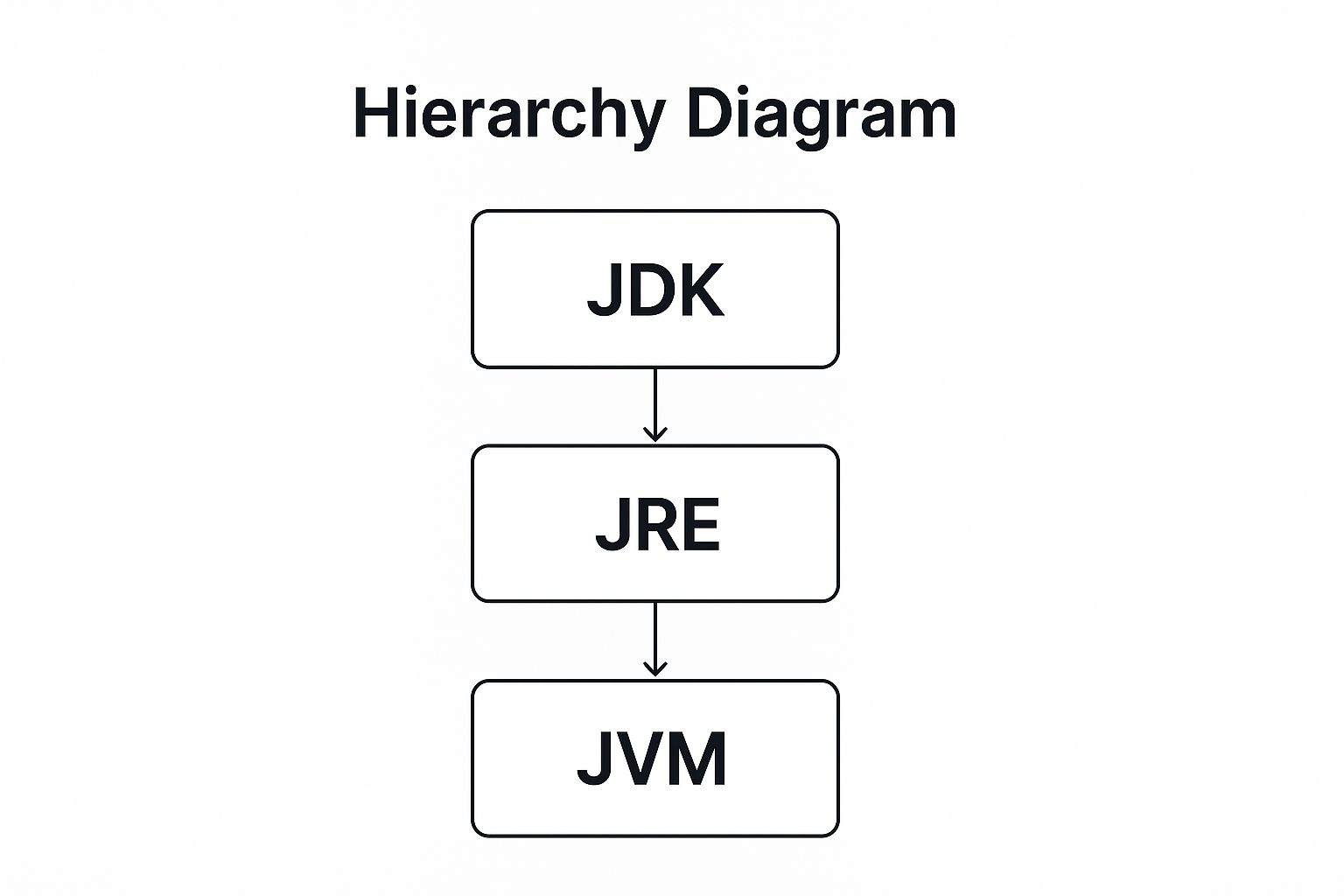 Infographic showing the hierarchical relationship between JDK, JRE, and JVM.
The diagram clearly shows that the JDK encompasses the JRE, which in turn includes the JVM, highlighting how they build upon one another.
2. Explain Object-Oriented Programming principles in Java
Understanding Object-Oriented Programming (OOP) is non-negotiable for any Java developer. This question is a staple in Java interview questions answers because it assesses your grasp of the paradigm that underpins the entire language. Your answer should demonstrate not just a theoretical definition but a practical understanding of how these principles lead to robust, scalable, and maintainable code.
 An illustration of the four main principles of Object-Oriented Programming: Encapsulation, Abstraction, Inheritance, and Polymorphism, with icons representing each concept.
-
Encapsulation: This is the principle of bundling data (attributes) and the methods that operate on that data within a single unit, or class. It also involves restricting direct access to an object's components, which is known as data hiding. In Java, this is achieved using
privateaccess modifiers for fields and providingpublicgetter and setter methods to control access. For example, anEmployeeclass can keepsalaryprivate, preventing unauthorized direct modification. -
Abstraction: Abstraction focuses on hiding complex implementation details and showing only the essential features of an object. In Java, this is achieved using abstract classes and interfaces. For instance, a
Shapeinterface can define acalculateArea()method without specifying how it's calculated, leaving the implementation to concrete classes likeCircleorRectangle. -
Inheritance: This mechanism allows a new class (subclass or child class) to inherit attributes and methods from an existing class (superclass or parent class). It promotes code reusability. In a banking system,
SavingsAccountandCheckingAccountclasses can inherit common properties likeaccountNumberandbalancefrom a parentAccountclass. -
Polymorphism: Meaning "many forms," polymorphism allows objects to be treated as instances of their parent class rather than their actual class. It enables a single action to be performed in different ways. For example, a
draw()method can be called on an array ofShapeobjects, and the correct implementation for eachCircleorSquarewill be executed at runtime.
3. What is the difference between String, StringBuffer, and StringBuilder?
Understanding the distinctions between Java's primary string-handling classes is a staple of technical interviews. This is one of those crucial java interview questions answers that reveals your knowledge of memory management, performance optimization, and concurrency, all of which are critical in professional software development.
-
String: The
Stringclass is immutable. This means once aStringobject is created, its value cannot be changed. Every modification, such as concatenation, creates a newStringobject in memory. This is ideal for situations where a value should not change, but it can be inefficient if you perform many modifications. -
StringBuffer: The
StringBufferclass is mutable and thread-safe. Its methods are synchronized, which means it can be safely used by multiple threads simultaneously without causing data corruption. This synchronization adds a performance overhead, making it slower thanStringBuilder. -
StringBuilder: The
StringBuilderclass is also mutable but is not thread-safe. It provides the same API asStringBufferbut without the synchronization overhead. This makes it the fastest option for string manipulation within a single-threaded environment, like building a complex string inside a loop.
When to Use Each Class
Choosing the right class is key to writing efficient and safe Java code. A common scenario is building a string in a loop. Using the + operator with String objects repeatedly creates many intermediate objects, wasting memory.
// Inefficient: Creates multiple String objects String result = ""; for (String str : list) { result += str; }
// Efficient for single-threaded use: Modifies one object StringBuilder sb = new StringBuilder(); for (String str : list) { sb.append(str); } String finalResult = sb.toString();
Use String for constant values, StringBuilder for single-threaded string construction, and StringBuffer for multi-threaded scenarios.
4. Explain Java Memory Management and Garbage Collection
This is a critical topic in any list of java interview questions answers, as it probes your understanding of what makes Java robust and platform-independent. Answering this well demonstrates a deep knowledge of the JVM's inner workings and your ability to write efficient, high-performance applications.
Java's memory management is automatic, relieving developers from manual memory allocation and deallocation tasks. The core of this system is the Heap, a memory area where objects are created. The Garbage Collector (GC) is the process that automatically reclaims heap memory by destroying objects that are no longer referenced by the application.
- Heap Structure: The heap is typically divided into generational spaces to optimize garbage collection. The Young Generation is where new objects are allocated. When it fills up, a minor GC runs. Surviving objects are moved to the Old Generation. The Old Generation is collected less frequently by a major GC.
- Garbage Collection: The GC identifies unreferenced objects and frees up their memory. Different GC algorithms exist, like Serial, Parallel, G1 (Garbage-First), and ZGC, each with trade-offs between throughput, latency, and memory footprint. Understanding these helps in tuning application performance.
Understanding the GC Process
This video provides a great visual explanation of how the garbage collector works and its impact on application performance.
Effectively managing memory involves preventing memory leaks (e.g., from static collections or unclosed resources) and tuning GC parameters (-Xmx, -Xms) to avoid OutOfMemoryError and optimize for specific workloads.
5. What are the differences between ArrayList and LinkedList?
This question is a staple in Java interview questions answers because it probes your understanding of fundamental data structures within the Java Collections Framework. Answering it well demonstrates that you can make informed decisions about performance and memory usage based on specific application needs.
 Diagram comparing the internal structure of ArrayList and LinkedList.
The primary difference lies in their underlying data structure. ArrayList uses a dynamic array to store elements, while LinkedList uses a doubly-linked list, where each element (or node) holds a reference to the previous and next element.
-
ArrayList: Best for scenarios requiring frequent read operations and random access. Accessing an element by its index is a fast, constant-time operation, O(1). However, adding or removing elements from the middle is slow, O(n), because it requires shifting subsequent elements.
-
LinkedList: Ideal for applications with frequent insertions and deletions. Adding or removing an element is a fast, constant-time operation, O(1), once you are at the position. Accessing an element by index is slow, O(n), as it involves traversing the list from the beginning or end.
Key Differences and Use Cases
Understanding the time complexity and memory overhead is crucial for choosing the right implementation.
-
Performance:
ArrayListoffers superior performance forget()andset()operations.LinkedListexcels atadd()andremove()operations, especially in the middle of the list. -
Memory Usage:
ArrayListhas lower memory overhead per element since it only stores the object.LinkedListrequires extra memory for each node to store pointers to the next and previous nodes. -
Use Cases: Use
ArrayListas your defaultListimplementation. Switch toLinkedListonly when you have a clear performance bottleneck due to frequent additions or removals from the list's interior. For a thread-safe alternative, considerVector, thoughCopyOnWriteArrayListis often preferred in concurrent scenarios.
6. Explain Exception Handling in Java
This is a core topic in almost any list of java interview questions answers because robust error management is non-negotiable in software development. Interviewers ask this to gauge your ability to write resilient, production-ready code that can gracefully handle unexpected runtime errors.
-
Exception: An exception is an event that disrupts the normal flow of a program's instructions. In Java, an exception is an object that is "thrown" at runtime. All exception types are subclasses of the
java.lang.Throwableclass. -
Checked vs. Unchecked Exceptions:
- Checked Exceptions: These are exceptions that the compiler forces you to handle, either by catching them with a
try-catchblock or by declaring them with thethrowskeyword. They typically represent predictable errors, likeIOExceptionwhen a file is not found. - Unchecked Exceptions: These are exceptions that the compiler does not require you to handle. They usually indicate programming errors, such as
NullPointerExceptionorArrayIndexOutOfBoundsException. They extendRuntimeException.
- Checked Exceptions: These are exceptions that the compiler forces you to handle, either by catching them with a
-
try-catch-finallyblock:try: Encloses the code that might throw an exception.catch: Catches and handles the specific exception type thrown from thetryblock.finally: Contains code that will execute regardless of whether an exception was thrown or caught. It's crucial for resource cleanup, like closing a database connection.
Handling Exceptions Effectively
The try-with-resources statement, introduced in Java 7, is a best practice for managing resources like file streams or database connections. It automatically closes the resources declared within its parentheses, preventing resource leaks and making the code cleaner than a traditional finally block.
// Example using try-with-resources for file handling try (BufferedReader br = new BufferedReader(new FileReader("file.txt"))) { // Code to read from the file System.out.println(br.readLine()); } catch (IOException e) { // Handle the file-related exception e.printStackTrace(); }
This modern approach simplifies code and reduces the risk of common errors associated with resource management.
7. What is the difference between HashMap and ConcurrentHashMap?
This is a critical topic in any list of java interview questions answers, as it directly probes your knowledge of concurrency and thread safety. Understanding this distinction is vital for building robust, high-performance multi-threaded applications.
-
HashMap: A standard, non-synchronized collection that is part of the Java Collections Framework. It stores data in key-value pairs and allows for one
nullkey and multiplenullvalues. Because it is not thread-safe, using it in a multi-threaded environment without external synchronization can lead to data inconsistency and race conditions. For instance, two threads modifying it simultaneously could result in an infinite loop or data loss. -
ConcurrentHashMap: A thread-safe alternative to HashMap, designed for high-concurrency scenarios. Instead of locking the entire map for every modification, it uses a more sophisticated technique called "lock striping" or segmented locking (in older versions) and fine-grained, node-level locking (in Java 8+). This allows multiple threads to read from and write to the map concurrently without blocking each other, significantly improving performance.
Key Differences and Use Cases
The primary difference is thread safety. HashMap offers better performance in single-threaded applications due to the absence of synchronization overhead. However, ConcurrentHashMap is the preferred choice for multi-threaded applications, such as a web server handling simultaneous user requests or a shared cache, where data integrity across threads is non-negotiable. Using ConcurrentHashMap prevents ConcurrentModificationException and ensures safe concurrent access without manual locking.
8. Explain the concept of Multithreading in Java
This is a cornerstone topic in many Java interview questions answers, as it assesses your ability to design responsive and efficient applications. Understanding multithreading is vital for leveraging modern multi-core processors and building high-performance systems.
Multithreading is a feature that allows concurrent execution of two or more parts of a program, known as threads, to maximize CPU utilization. Each thread runs in parallel and shares the same memory space, which makes communication efficient but also introduces challenges like race conditions and deadlocks.
- Thread Creation: You can create threads by either extending the
Threadclass or, more commonly, by implementing theRunnableinterface. The latter is preferred as it promotes composition over inheritance and allows a class to extend another class. - Synchronization: When multiple threads access shared resources, you must manage access to prevent data corruption. Java provides the
synchronizedkeyword for methods or blocks to ensure only one thread can execute that code section at a time. - Modern Concurrency: For more complex scenarios, the
java.util.concurrentpackage offers powerful tools. TheExecutorServiceframework is a modern, high-level alternative for managing thread lifecycles, and classes likeBlockingQueuesimplify producer-consumer patterns.
Why Multithreading is Crucial
A web server handling multiple simultaneous client requests is a classic example. Each request can be processed by a separate thread, allowing the server to remain responsive to all clients instead of handling them one by one. This parallel processing is key to the scalability of modern applications.
9. What are Java 8 Stream API and Lambda Expressions?
This question probes your knowledge of modern Java, specifically the functional programming features introduced in Java 8. Recruiters use this to assess if you write concise, expressive, and efficient code, making it one of the most critical java interview questions answers for contemporary roles.
-
Lambda Expressions: A lambda expression is a short block of code that takes in parameters and returns a value. They are anonymous functions, meaning they don't have a name. Lambdas let you treat functionality as a method argument, or code as data. They are primarily used to implement functional interfaces, which are interfaces with a single abstract method. For example,
(a, b) -> a + bis a lambda that accepts two integers and returns their sum. -
Stream API: The Stream API provides a functional-style way to process sequences of elements. A stream is not a data structure itself; it takes input from collections, arrays, or I/O channels. Streams support aggregate operations like
filter(),map(),reduce(), andcollect()which can be chained together. This allows for powerful and readable data manipulation pipelines.
Lambda and Stream Example
Consider a common task: filtering a list of strings and converting them to uppercase.
Before Java 8 (Imperative Style):
List
With Java 8 Streams and Lambdas (Declarative Style):
List
The Stream API version is more declarative, focusing on what to do rather than how to do it. It's also easily parallelizable by simply calling .parallelStream() instead of .stream(), which can offer significant performance benefits on large datasets.
10. Explain the Singleton Design Pattern implementation in Java
This is a classic design pattern question that frequently appears in java interview questions answers. It assesses your ability to control object instantiation and manage global application state, which is a critical skill for building robust, large-scale systems.
The Singleton pattern ensures that a class has only one instance and provides a global point of access to it. This is useful for resources that are expensive to create or should be shared, like database connection pools, logging services, or configuration managers. A private constructor prevents direct instantiation, while a static method provides access to the single, shared instance.
Thread-Safe Singleton Implementation
In a multi-threaded environment, a naive implementation can fail. A thread-safe approach is crucial. The double-checked locking idiom is a common way to achieve this, preventing race conditions while minimizing performance overhead.
public class DatabaseConnector { // The volatile keyword ensures that multiple threads // handle the uniqueInstance variable correctly private static volatile DatabaseConnector instance;
// Private constructor to prevent instantiation
private DatabaseConnector() {}

public static DatabaseConnector getInstance() {
    if (instance == null) { // First check (not synchronized)
        synchronized (DatabaseConnector.class) {
            if (instance == null) { // Second check (synchronized)
                instance = new DatabaseConnector();
            }
        }
    }
    return instance;
}
}
This implementation ensures that the expensive synchronized block is only entered once, making subsequent calls to getInstance() highly efficient. While effective, modern frameworks like Spring often manage singletons through dependency injection, which is now considered a best practice for cleaner, more testable code.
Java Interview Q&A Comparison Matrix
| Topic | Implementation Complexity 🔄 | Resource Requirements ⚡ | Expected Outcomes 📊 | Ideal Use Cases 💡 | Key Advantages ⭐ |
|---|---|---|---|---|---|
| JVM, JRE, and JDK | Low - basic conceptual understanding | Minimal - mostly knowledge-based | Clear understanding of Java platform components | Beginner-level Java ecosystem knowledge | Fundamental Java architecture insight |
| Object-Oriented Programming principles in Java | Medium - conceptual + some coding | Moderate - requires code examples | Improved design thinking and coding skills | Software design and real-world Java development | Strong foundation in reusable, maintainable code |
| String, StringBuffer, and StringBuilder | Medium - API differences & performance | Moderate - performance profiling recommended | Knowledge of string handling and optimization | Efficient string manipulation in Java programs | Better performance tuning and thread safety |
| Java Memory Management and Garbage Collection | High - advanced JVM internals | High - profiling tools and tuning | Deep JVM performance understanding and tuning | Optimizing memory in complex applications | Enhanced troubleshooting and performance |
| ArrayList vs LinkedList | Medium - data structure concepts | Moderate - practical performance examples | Knowledge of collection performance trade-offs | Choosing correct list implementation for needs | Better performance based on use case |
| Exception Handling in Java | Medium - theory and best practices | Moderate - includes practical examples | Robust error management and safer code | Enterprise-grade Java applications | Increased application reliability |
| HashMap vs ConcurrentHashMap | High - concurrency and synchronization | High - understanding multithreading effects | Thread-safe data management in concurrent apps | Multi-threaded and concurrent environments | Improved thread safety and throughput |
| Multithreading in Java | High - complex concurrency concepts | High - coding and debugging multithreaded code | Scalable and efficient concurrent applications | High-performance and real-time Java apps | Strong concurrency problem solving |
| Java 8 Stream API and Lambda Expressions | Medium to High - modern Java features | Moderate - requires functional programming skills | More readable and efficient data processing | Functional programming and large data operations | Compact, maintainable, and parallelizable code |
| Singleton Design Pattern implementation in Java | Medium - design pattern knowledge | Low to Moderate - coding thread-safe patterns | Controlled instance management | Global resource management in applications | Ensures single instance and thread safety |
From Theory to Practice: Take Your Prep to the Next Level
Navigating through this extensive list of common java interview questions answers is a significant milestone in your preparation journey. We've dissected fundamental concepts ranging from the core differences between the JVM, JRE, and JDK to the practical nuances of Java's memory management and garbage collection. By understanding not just what these components do, but why they are designed a certain way, you elevate your knowledge from simple recitation to deep comprehension.
The true differentiator in a competitive interview, however, isn't just knowing the answer; it's the ability to articulate it with clarity, confidence, and context. It's about explaining why you'd choose a StringBuilder over a String in a specific scenario or detailing the thread-safety implications of using a HashMap versus a ConcurrentHashMap. The examples and explanations provided for each question are designed to be your blueprint for constructing these compelling, real-world answers.
Turning Knowledge into Interview Success
Mastery comes from application. The gap between theoretical knowledge and practical interview performance is bridged by active, consistent practice. Here are actionable next steps to solidify what you've learned and ensure you're ready for any challenge:
- Code Every Concept: Don't just read about the Singleton pattern or lambda expressions. Open your IDE and implement them from scratch. Create a multithreaded application, build a custom exception, and experiment with the Stream API. This hands-on experience is non-negotiable.
- Practice Articulation: Pick a question from this list and explain the answer out loud, as if you were in an interview. Record yourself and listen back. This helps you refine your wording, improve your pacing, and build the confidence to speak clearly under pressure.
- Simulate the Interview Environment: Knowing the answers is one thing; recalling them under the stress of a timed technical screen is another. The pressure of the clock can be a significant factor. It’s crucial to practice in an environment that mimics these conditions to build mental resilience and quick-recall muscle memory.
Ultimately, your goal is to demonstrate not just what you know, but how you think. Interviewers are assessing your problem-solving skills, your communication abilities, and your grasp of foundational principles. By going beyond rote memorization and focusing on the "why" behind each of these java interview questions answers, you position yourself as a thoughtful, capable, and valuable candidate ready to contribute from day one.
Ready to transform your theoretical knowledge into interview-ready expertise? HydraNode offers an AI-powered practice platform that simulates real exam conditions with adaptive questions tailored to your skill level. Stop just reading answers and start mastering them by practicing in a realistic, timed environment at HydraNode.


